Viewing Your Statistics
The Statistics tab shows you a summary of everything the extension has done.
How to view
- Click the Honest AI Shield icon
- Click the Statistics tab (bottom navigation)
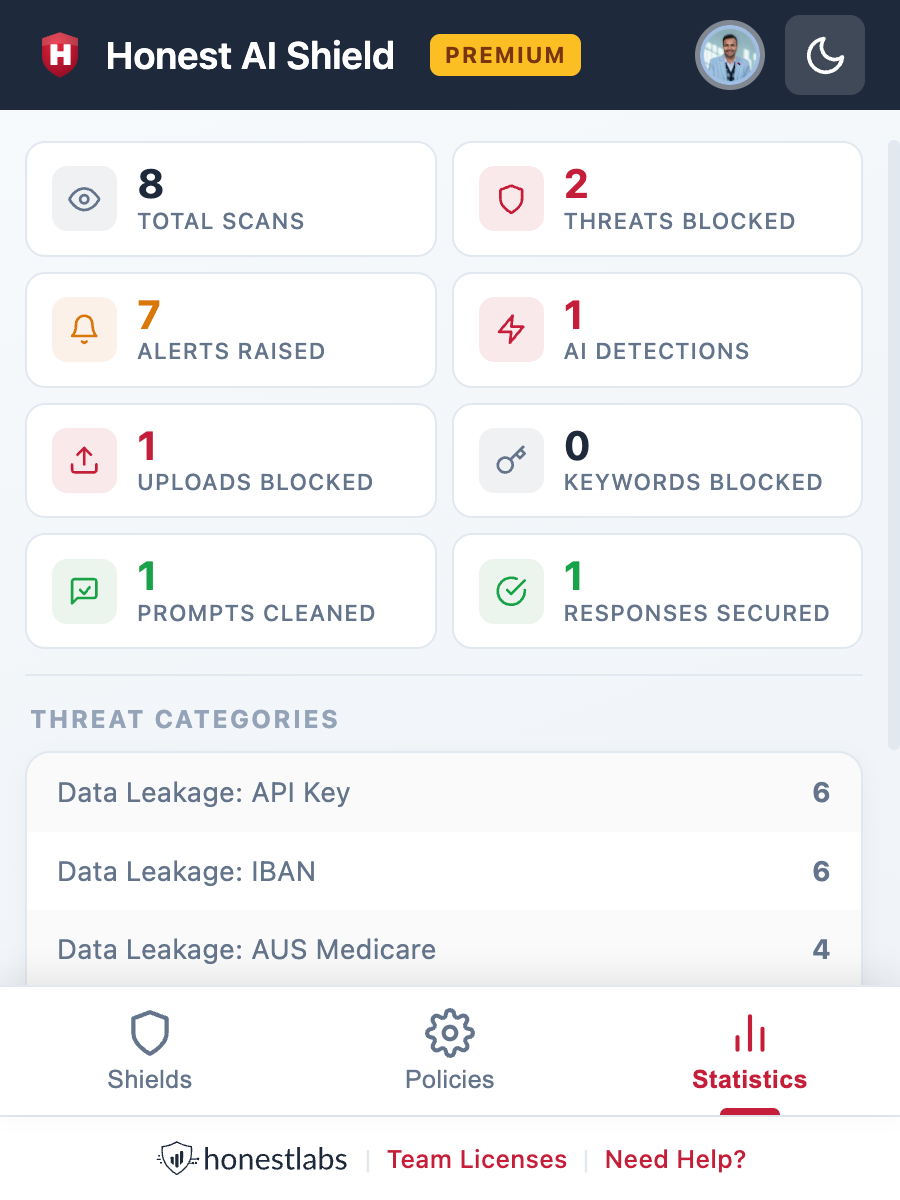
What the numbers mean
| Metric | What it counts |
|---|---|
| Total Scans | Total number of messages the Shield has scanned |
| Threats Blocked | Messages where a threat was detected and blocked |
| Alerts Raised | Number of times the alert screen was shown to you |
| AI Detections | Threats caught by the AI responses. |
| Uploads Blocked | Accidental file uploads prevented. |
| Keywords Blocked | Times a keyword from your list was detected |
| Prompts Cleaned | Messages that were redacted before sending to AI. |
| Responses Secured | AI responses that were blocked for harmful content |
Below the stats grid, you may see a Threat Categories section that breaks down threats by type.
Actions
- Refresh — updates the numbers on screen
- Sync Stats (Premium/Business only) — syncs your statistics to your online dashboard